
Use this page to migrate your Zambia Online email to the new system as per notice already sent to you. Follow the instructions below the form very carefully.
NOTE: Your normal Yandex Mail password will not work for the migration so you need to set up an “app password” as explained below the form.
PRELIMINARY SETUP
Create an “app password” as follows.
STEP 1
Log in from the browser using LAPTOP or COMPUTER (or use desktop version of website on mobile device) at:
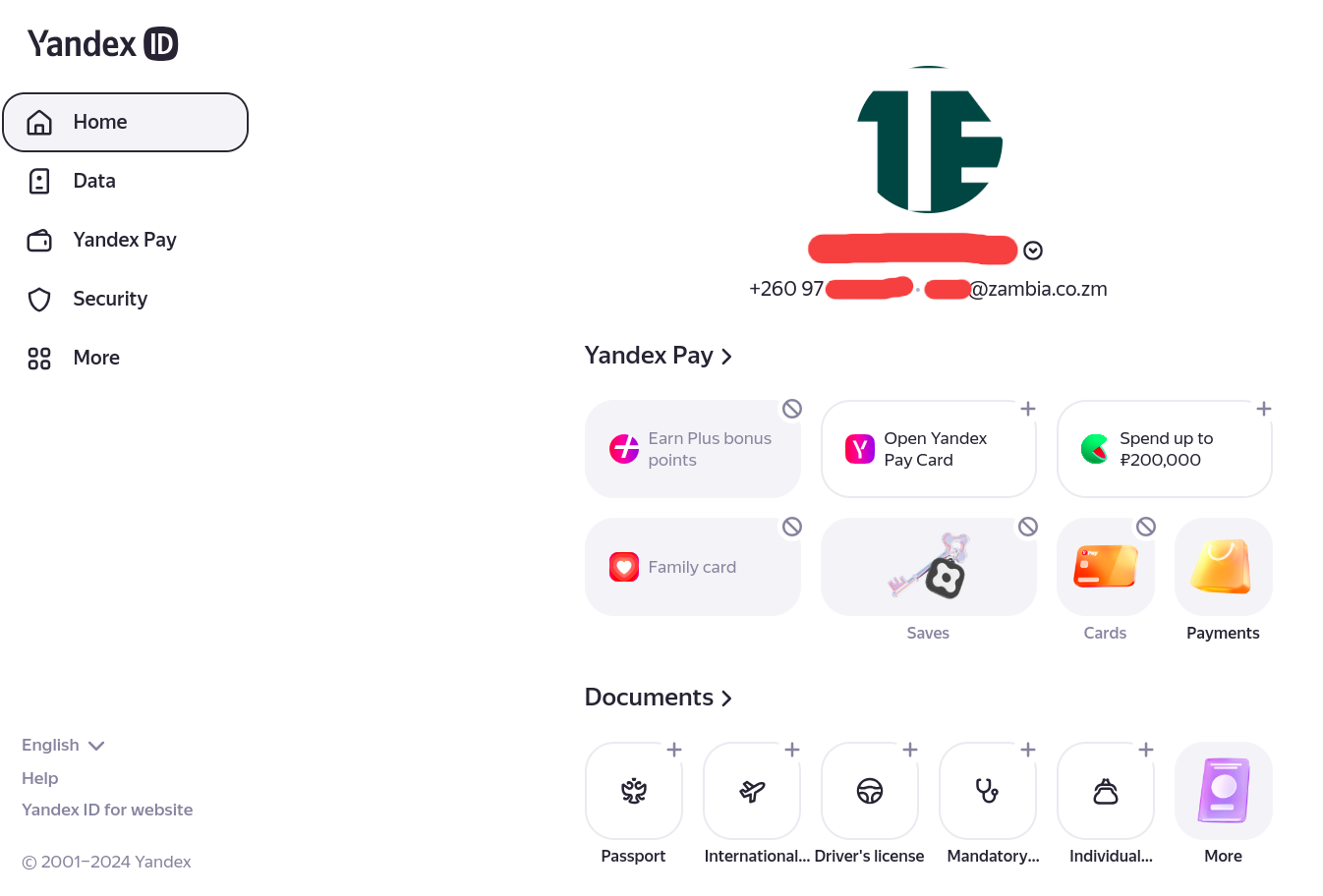
After logging in, go to “Security” (left menu).
STEP 2
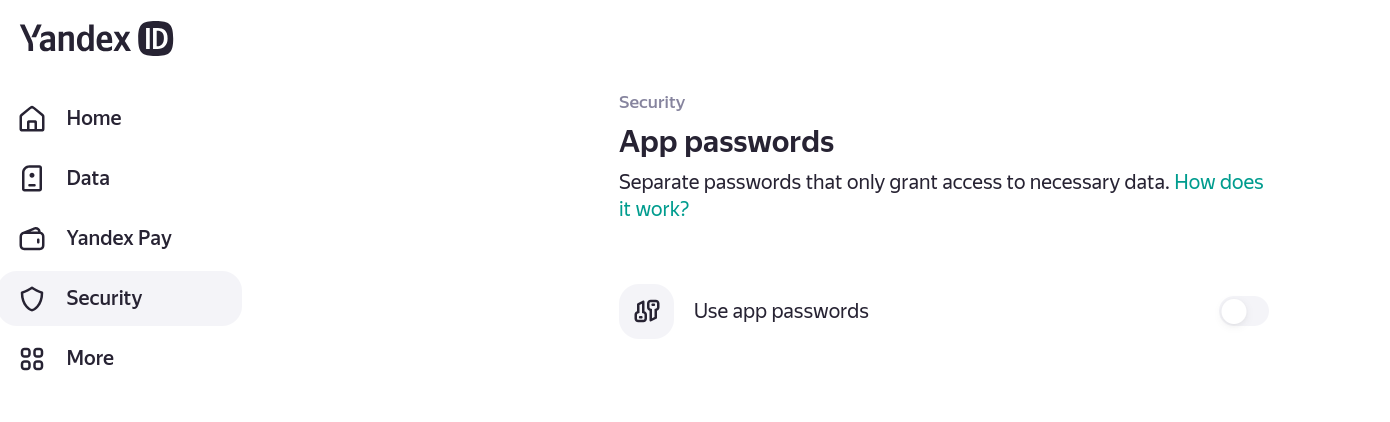
Scroll to the bottom of the Security page that opens and go to “App passwords”. Click on “Use app passwords”.
STEP 3
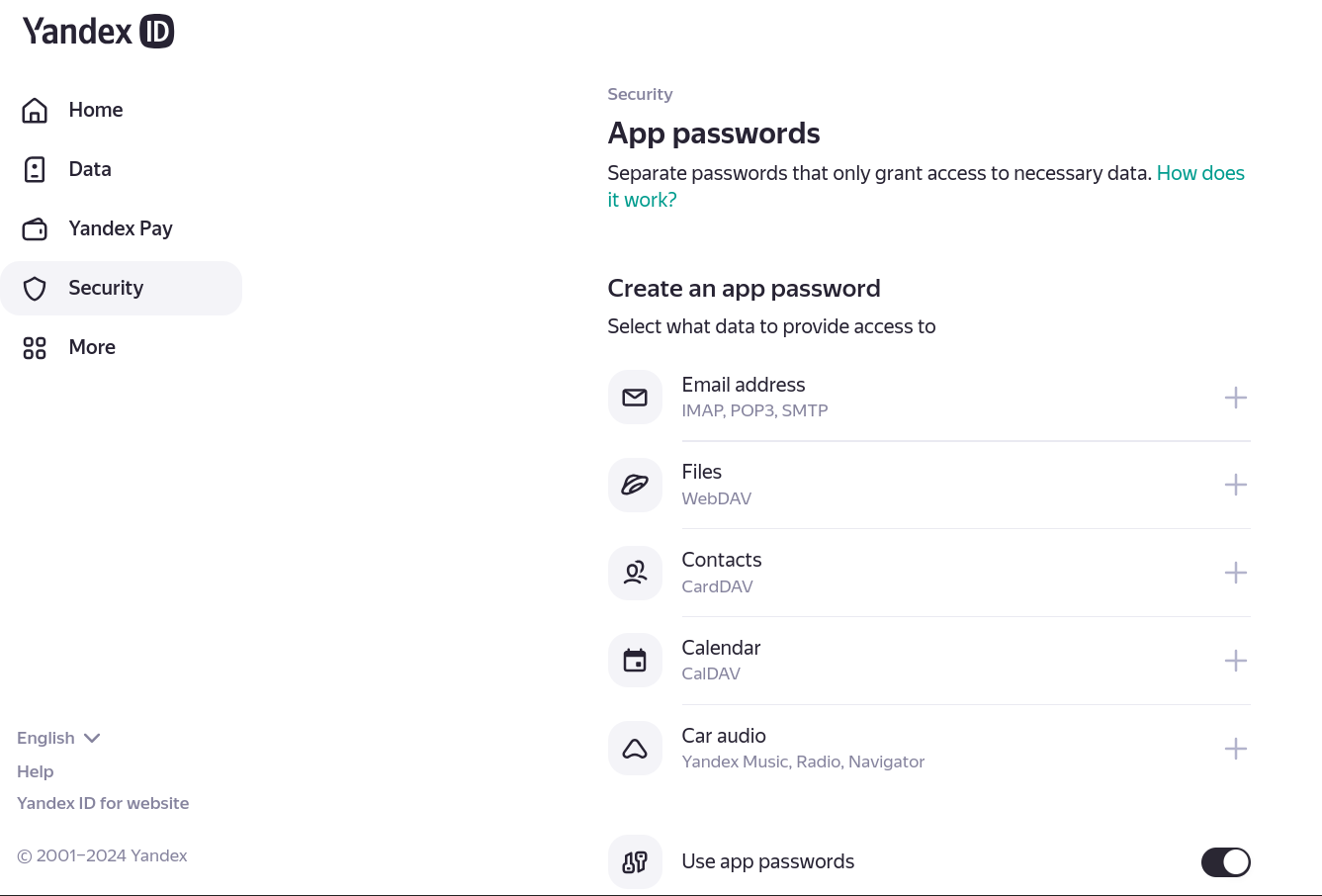
Then click on “Email Address” which is the first choice on the list that will appear.
STEP 4
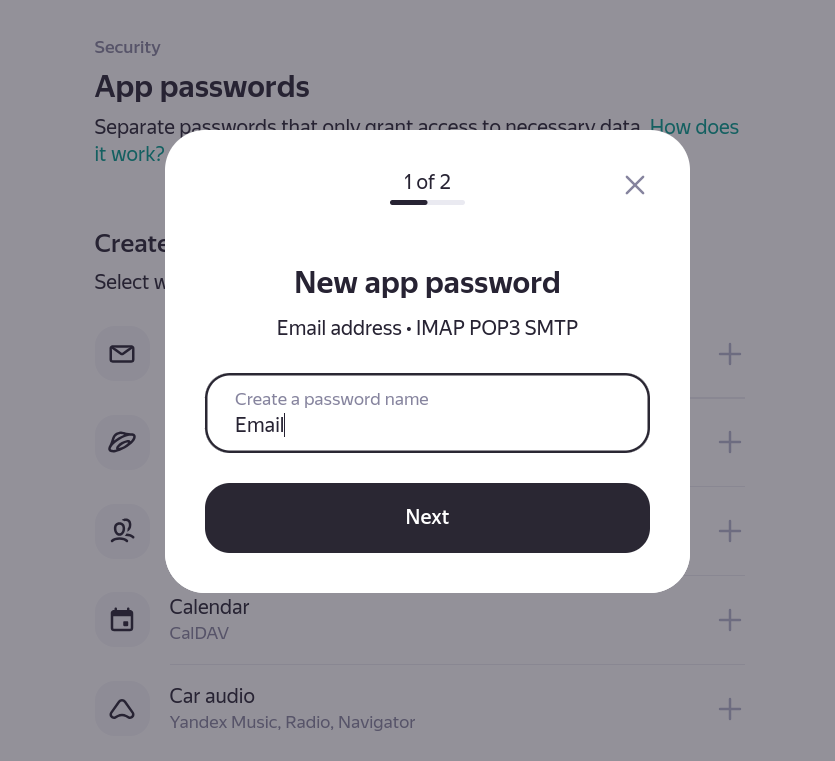
A popup will show and then type in any name for this password just to distinguish it (eg “Migration Password”). Click “Next”.
STEP 5
An app password will then show on the screen. It is ONLY SHOWN ONCE so you need to write it down or copy it or save it somewhere or take a screenshot.
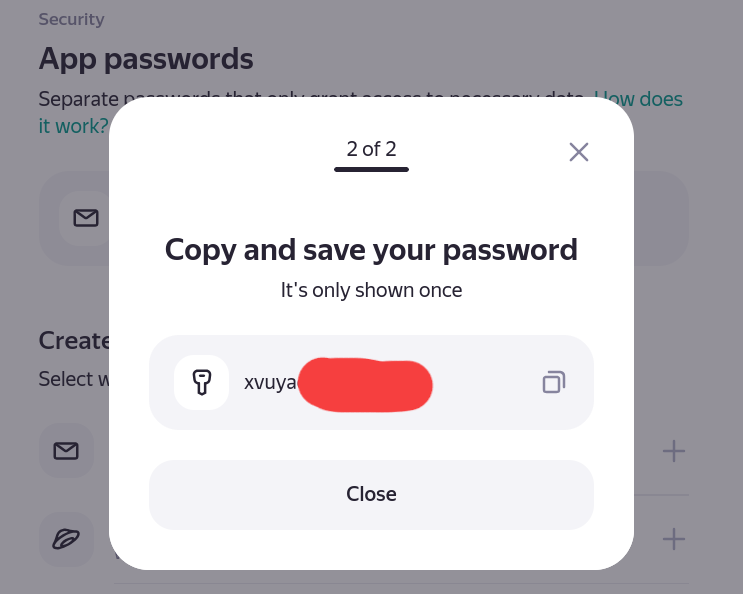
Use this as your password in the migration form. If you lose this password, you can come back and create a new one.